Loading…

News
Macro Rework, Tab Targeting Removed & Chinese Language Pack
This update reworks the in-game macro, removes Tab targeting, lets you pick up your own loot into a locked bag, cleans up skill tooltips, fixes Elementalist buffs landing on your pet and brings a new Chinese language pack, a game font choice and a maintenance alert to the launcher.
In-Game Macro
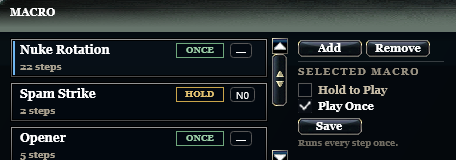
The macro now has two play modes. Press to Play / Cancel has been removed - macros that used it now play as Hold to Play.
| Mode | How it plays |
|---|---|
| Hold to Play | The macro plays while you hold its key. Release the key and the macro stops at once - no further skill is cast. |
| Play Once | One press plays the whole sequence once, from start to finish, without stopping. |
| Change | What changed |
|---|---|
| Change target mid-macro | You can now switch your target while a macro is casting - the running macro takes the new target right away. |
| Smoother casting | Macro casting is smoother, and a skill you press yourself during a macro is cast first instead of waiting for the sequence. |
| Stuck Shift / Ctrl / Alt fixed | Some players could not use their skills while their macro was running because a modifier key got stuck. Shift, Ctrl and Alt can no longer stick, so your skill keys always work. |
Tab Targeting Removed
Changing targets with Tab has been completely removed. Please select your targets with the mouse.
Players who farmed in Chaotic Frontier with a macro and Tab looked unnatural - their movement was very similar to bots - even though a real person was at the keyboard and was present at every check. This was allowed, but most players already change targets with the mouse, and now everyone plays the same way.
Loot Pickup
You can now pick up your own drop with the mouse cursor even when your unlocked bags are full - the item goes into a free slot in a locked bag.
This works when you click the item on the ground or drag it onto your inventory. The loot key, pet auto-pickup, party loot distribution and public drops still respect your bag lock as before.
Skill Tooltips
Expand all levels in the skill tooltip now shows the Required Level, skill point cost and gold cost only for the stages you can actually learn. Before, it showed requirements for all 30 stages, which was confusing. Higher stages still show what each level does.
Elementalist
Elementalist summon buffs could land on the pet from your Bag - the buff visually stayed on the pet. Now these buffs land only on your summons, and calling your pet no longer re-casts them on it.
| Skill | |
|---|---|
 |
Blessing Elemental |
 |
Elemental Rejuvenation |
 |
Moonlight Blessing |
 |
Hyper Soul |
 |
Descent of Luna |
 |
Elemental Heal |
 |
Holy Ground |
Launcher
Server Status and Maintenance
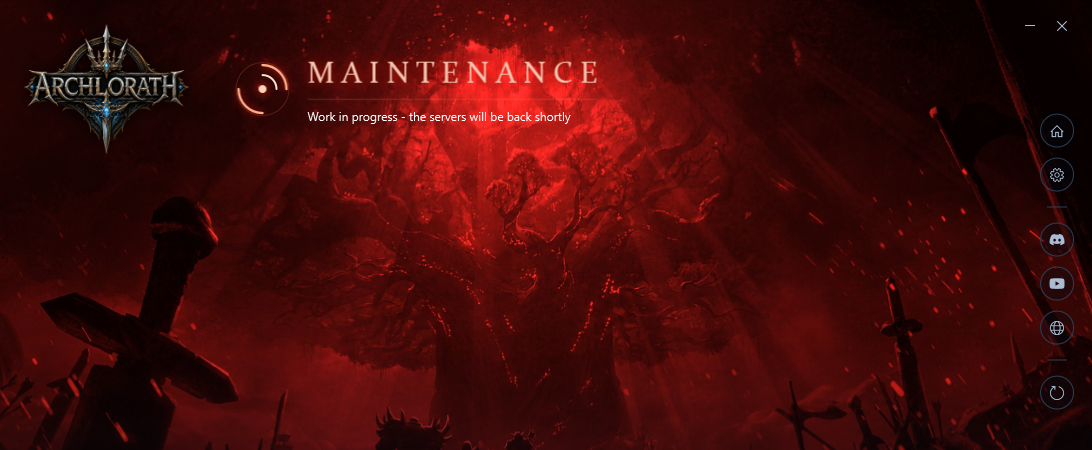
The launcher now shows the server status at a glance. When everything is online it stays in its usual blue. When the login server or the game server is unavailable, the launcher turns red and shows a Maintenance banner. Once the servers are back, it returns to blue by itself.
Launcher Language and Game Font
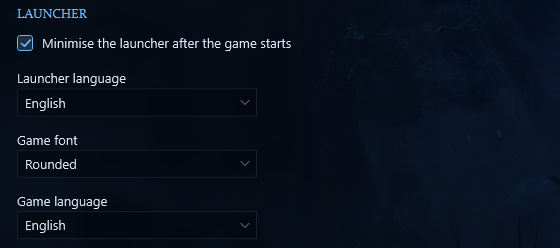
Two new options in Settings > Launcher:
| Option | Choices |
|---|---|
| Launcher language | English or Chinese |
| Game font | Classic - the font you know - or the new Rounded font |
The client must be restarted for these changes to take effect.
Chinese Language Pack
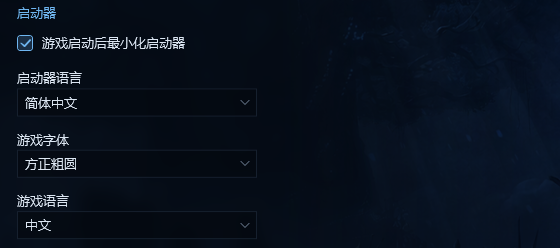
A Chinese language pack has been added for our players from China. Set Game language to Chinese and the game shows item names, item and skill tooltips, region and teleport names and the in-game interface in Chinese. Choosing Chinese also selects the Rounded font, because the Classic font has no Chinese characters. English stays the default.
Thank you for all your reports and feedback - they help us make ArchLorath better with every update. See you in Chantra!
Updated 17/11/2026, 01:10